 Skillsthrills
Skillsthrills
Power Platform, SQL and the occasional thrill.
-

Joining or merging data in Power Automate
It’s no secret that i have a background in SQL, and am very used to joins in a variety of shapes and formats. Whenever I need to combine two data sources in Power Automate, into a single one, I always go searching for “Join” in the actions list,…
-

Environment variables for data sources
If you’ve worked with a healthy ALM approach in the Power Platform, yet somehow still have had Sharepoint lists or SQL Server as sources in Power Apps (Especially Entra ID and Windows Authentication in SQL), you’re either a creative soul, that have built workarounds, or you’ve suffered with many others.…
-
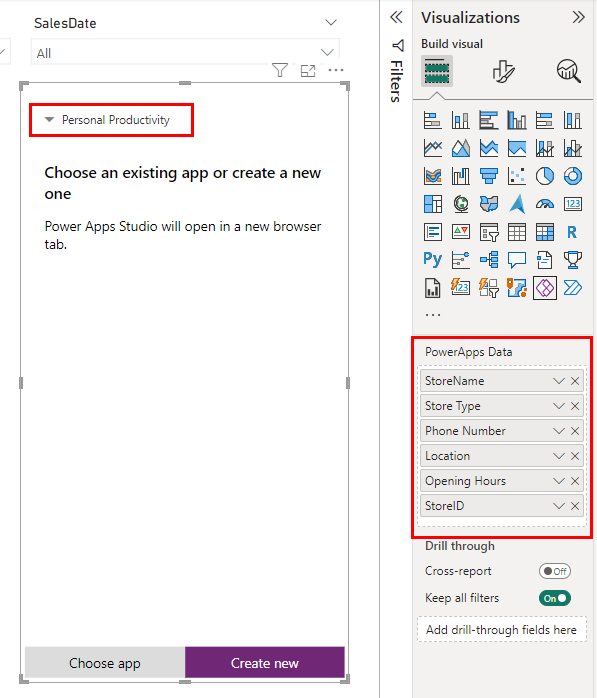
Power BI and the Power Apps visualization
Combining Power BI with the rest of the Power Platform, in the shape of Power Automate and Power Apps, opens up a whole new realm of possiblities in your default Power BI reports. But to do this properly, it’s nice to have an understanding of the visualization type…
-

A collection of neat commands
Well, as of starting this post, it will be a single command. But this will be more of a personal collection of neat commands, with a varying degree of useability. Hiding consent pop-up First up, hiding the consent pop-up of connectors when opening up a Canvas App. It is run…
-

Want to build your first Power App?
The first decision that needs to be made, is which type of data storage to use. In this example we’ll be using a Sharepoint Online list, since that allows us to get started rapidly. We could also create a Dataverse setup using Copilot, or doing pretty much the…
-

Writeback – how low can you go?
I recently made a post about writing back to SQL from Power Apps using stored procedures, and one of the reasons for this, was the performance aspect. But what’s to say about performance, if no comparisons are actually made, except for gut feeling. The purpose of this post…
-

Stored Procedures, what are they good for?
Before you add, “Absolutely nothing”, let’s just dwell a bit into a practical implementation of a Stored Procedure directly in Canvas Apps, so without any additional logic from Power Automate during the execution. Before we can jump straight into the example, I figured why not make some of…
-

Sharing Virtual Tables & Model-Driven Apps
While one might assume that sharing Virtual tables has the exact same approach as sharing regular Dataverse tables with users, that is not entirely correct. Also in this context there’s a tiny difference, which is not nescesarily obvious. First thing we need to do, is navigate to the Admin…
-

Virtual Tables and Application Lifecycle Management
Generally, I will say that Virtual Tables aren’t yet all the way there when it comes to ALM, and for now we’ll explore some of the reasons behind that opinion.First, navigate to the solution that contains the objects. I generally like to use the Advanced option of adding required…
-

Creating a basic model-driven app
A continuation of two previous topics, in the shape of Virtual tables on top of SQL, and editing data in SQL via Excel. Personally, I believe the Excel way works, but that’s just about it. I am not particularly fond of it, but it works. Therefore, this specific post dives…
-
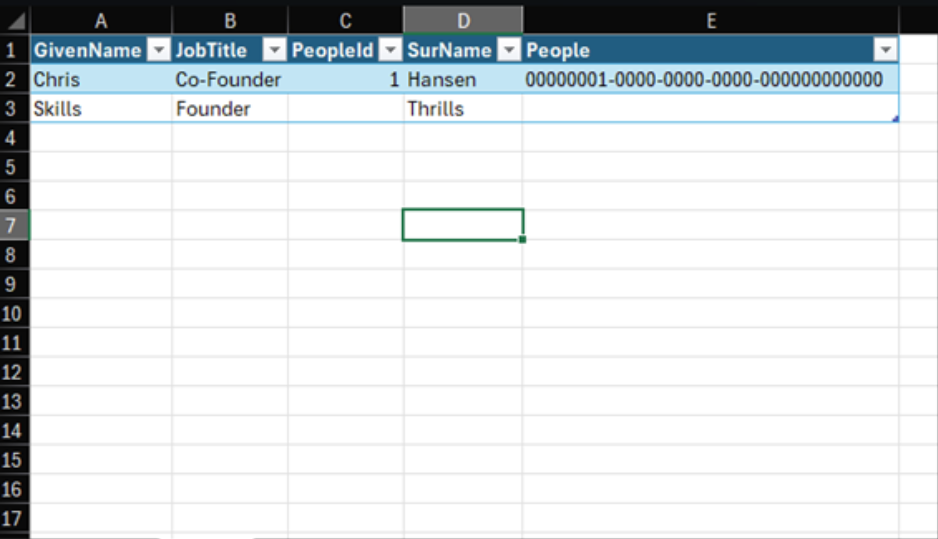
Editing data in SQL via Excel
This one is pretty straight forward, but it’s a neat and simple use case, for allowing users to edit data in a SQL database, while remaining comfortable and safe within Excel. We will navigate to our Power Platform environment, with the previously created Virtual table, find said table and…
-

Virtual Tables – an introdoctury how-to
Why even mention Virtual Tables? Well, in the world I live in many organizations have their data in SQL databases in one way or another, and at the same time many organizations have heard how easy it is to get started with Model-driven applications. But to work with those,…